Reliable OFM Embroidery File Conversion for Commercial Embroidery
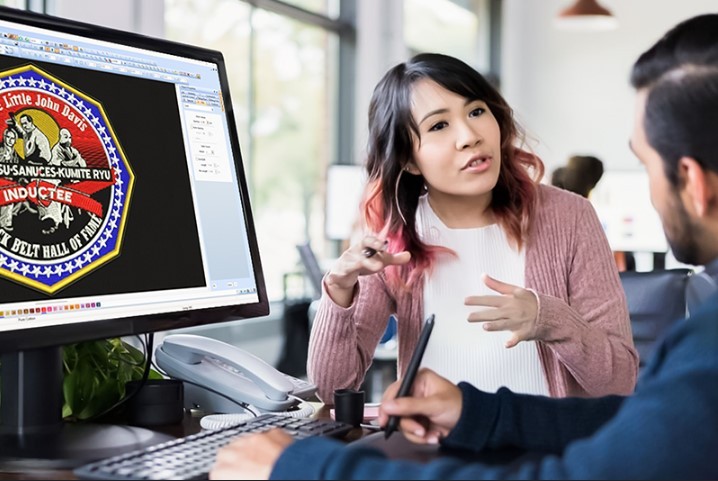
If you’re running a commercial embroidery setup, you already know that file compatibility can make or break your workflow. OFM Embroidery File Conversion is especially important for businesses using Melco embroidery machines, where precision, speed, and stitch accuracy matter every single time. Converting artwork into an OFM file isn’t just about changing formats, it’s about creating a stitch-ready design that runs smoothly on high-speed commercial machines without thread breaks or design flaws.
In this in-depth guide, we’ll explore what OFM embroidery files are, why professional conversion matters, common mistakes to avoid, and how to ensure flawless stitch quality for commercial embroidery projects.
What Is an OFM Embroidery File?
OFM is a proprietary embroidery file format primarily used by Melco embroidery machines. Unlike basic embroidery formats, OFM files contain advanced stitch data optimized for commercial production.
Key Features of OFM Files:
- Precise stitch commands
- Optimized stitch sequencing
- Accurate thread color control
- Compatibility with Melco machine software
Because OFM files are machine-specific, they require professional digitizing rather than basic file conversion.
Why OFM Embroidery File Conversion Matters in Commercial Embroidery
Commercial embroidery machines operate at high speeds and handle bulk production. Poorly converted files can cause serious issues, including downtime and wasted materials.
Risks of Poor OFM Conversion:
- Thread breaks during production
- Uneven stitch density
- Misaligned design elements
- Fabric puckering
- Increased machine wear
Reliable OFM embroidery file conversion ensures smooth operation, consistent quality, and faster turnaround times.
OFM Files vs Other Embroidery Formats
While formats like PES, DST, and JEF are widely used, OFM files are uniquely optimized for Melco machines.
Format |
Common Machines |
Best Use |
| PES | Brother, Babylock | Home & small business |
| DST | Tajima | Commercial embroidery |
| JEF | Janome | Home & semi-commercial |
| OFM | Melco | High-volume commercial use |
Simply converting DST or PES to OFM without digitizing can lead to stitching issues.
What Can Be Converted to OFM Embroidery Files?
Professional OFM embroidery file conversion supports many source file types, including:
- JPG and PNG images
- AI and EPS vector files
- PDF artwork
- PSD design files
- Existing embroidery formats (DST, PES, JEF, EXP)
Vector artwork typically delivers the cleanest results, but high-resolution images can also be converted successfully.
Step-by-Step OFM Embroidery File Conversion Process
Step 1: Artwork Evaluation
The process starts with reviewing the artwork to identify:
- Design size and complexity
- Number of colors
- Small details that may not stitch well
Necessary adjustments are made before digitizing begins.
Step 2: Manual Digitizing
Professional digitizers manually convert artwork into stitches by:
- Assigning stitch types (satin, fill, running)
- Planning stitch direction for smooth texture
- Defining stitch sequence to reduce trims
This step ensures embroidery stability on commercial machines.
Step 3: Underlay Stitch Planning
Underlay stitches are crucial for:
- Stabilizing fabric
- Preventing puckering
- Improving top stitch appearance
Different fabrics require different underlay techniques.
Step 4: Density and Stitch Optimization
Commercial embroidery requires balanced stitch density:
- Too dense → thread breaks
- Too loose → gaps and weak embroidery
Digitizers optimize stitch count for durability and efficiency.
Step 5: OFM File Output and Testing
The final design is exported as an OFM file and tested to ensure:
- Clean edges
- Accurate color changes
- Smooth machine performance
Common Mistakes in OFM Embroidery File Conversion
Using Auto-Digitizing Software
Auto-digitizing tools may seem convenient, but they often:
- Create excessive stitches
- Ignore fabric behavior
- Produce messy stitch paths
These issues become more obvious at commercial speeds.
Skipping Fabric Considerations
The same OFM file won’t stitch the same on:
- Caps
- Jackets
- Knit fabrics
- Denim
Professional conversion adjusts stitch settings based on fabric type.
Overloading Designs with Detail
Tiny details may look good on screen but fail during embroidery. Simplification is key for commercial success.
Benefits of Professional OFM Embroidery File Conversion
Consistent Stitch Quality
Proper digitizing ensures uniform results across bulk orders.
Reduced Machine Downtime
Optimized stitch paths minimize thread breaks and errors.
Faster Production
Clean OFM files allow machines to run smoothly at high speeds.
Better Fabric Results
Correct underlay and density prevent puckering and distortion.
Who Needs OFM Embroidery File Conversion?
- Commercial embroidery shops
- Apparel manufacturers
- Promotional product companies
- Uniform suppliers
- Contract embroidery businesses
Any operation using Melco machines benefits from professional OFM conversion.
DIY vs Professional OFM Conversion
DIY Conversion Pros:
- Lower initial cost
- Suitable for testing or learning
DIY Conversion Cons:
- Inconsistent quality
- Time-consuming adjustments
- Higher risk of production errors
Professional Conversion Pros:
- Machine-optimized OFM files
- Reliable stitch performance
- Reduced material waste
For commercial embroidery, professional conversion is usually the smarter investment.
Tips for Better OFM Embroidery Results
- Use clean, high-resolution artwork
- Avoid excessive color changes
- Choose proper stabilizers
- Always test stitch before full production
- Work with experienced digitizers
These steps improve embroidery efficiency and quality.
Final Thoughts
Reliable OFM Embroidery File Conversion is essential for commercial embroidery businesses that demand speed, accuracy, and consistency. It’s not just about converting a file it’s about creating a stitch-ready design that performs flawlessly on Melco machines under production conditions. Proper digitizing saves time, reduces errors, and ensures professional results across every order.
For high-quality, machine-optimized OFM embroidery files that deliver clean stitching and smooth production, businesses trust the expertise of Digitizing Buddy to handle their commercial embroidery conversion needs with precision and care.